Blue-Green Deployment diagram template
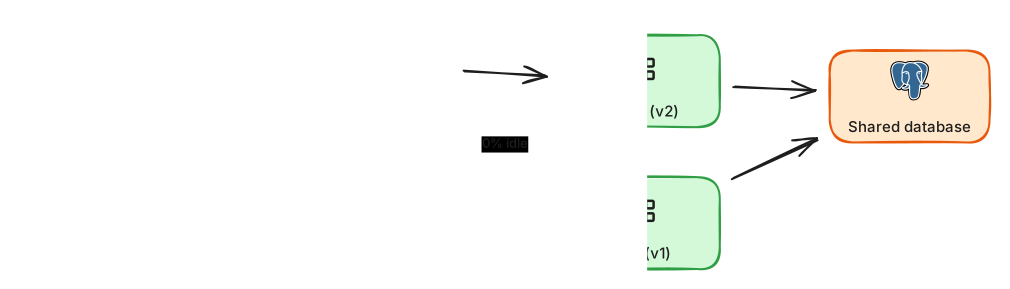
Two identical environments with an instant traffic switch and a quick rollback.
About this design
Blue-green deployment removes the nervous moment of a release. Two production-sized environments exist side by side: blue serves live traffic while green receives the new version. Once green is deployed and verified with smoke tests against the real dependencies, the load balancer flips all traffic from blue to green in one step. If something is wrong, flipping back takes seconds, because blue is still running the previous version. The difficulty is the database, which both environments share, so every schema change must be backward compatible across two versions, applied in an expand then contract sequence. The template shows the routing layer and the shared data tier. Use it to discuss cost of the idle environment, draining existing connections, warming caches before the switch, and how this differs from canary releases that move traffic gradually.
Diagram as text
This is the source of the diagram, in the ArchBoard diagram DSL. Paste it into Tools, Diagram from text to rebuild or change it.
title "Blue-green deployment"
direction LR
user "Users" -> lb nginx "Router"
router -[100% live]-> service blue "Blue (v1)"
router -[0% idle]-> service green "Green (v2)"
blue -> db postgres "Shared database"
green -> shared-database
ci github "CI pipeline" -> green
Related guides
More reliability templates

Multi-Region Active-Passive
A warm standby region with replicated data and DNS failover for disaster recovery.
Circuit Breaker
Stop calling a failing dependency, serve a fallback response and probe carefully for recovery.

CDN with Origin Shield
Edge caches, a shield layer and an origin protected from simultaneous cache-miss storms.